
DK88 Mobile App Guide: Install Steps and the Android-Only Bonus
Playing DK88 through a phone browser works fine day to day, but our dedicated app trims loading times and keeps your account, betslip and slot library one tap away. This guide points you to where the DK88 app sits on our site, walks through installing it on Android start to finish, and covers the free spins reward that only unlocks through that install path. iOS players will find their own section further down.
Where to Find the DK88 App
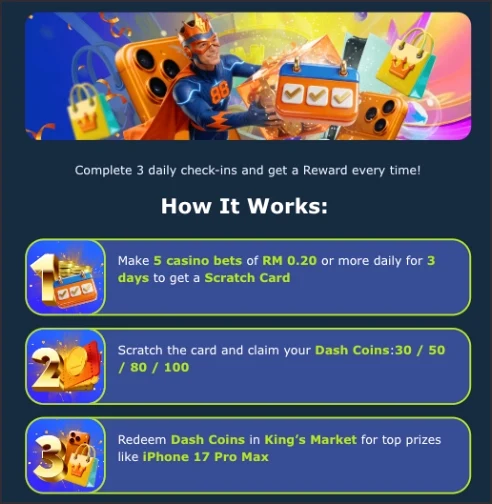
We keep app access close at hand rather than hidden in a settings menu: look for the DK88 app icon inside the burger menu at the top of the site, and again near the bottom of the footer under a mobile app link. Both spots display separate Android and iOS icons side by side, though only the Android build currently carries an active download flow and a bonus attached to it. We haven't published a direct App Store or Google Play listing URL for either platform, so the icon links above remain the fastest confirmed route to the DK88 app right now. A QR code also sits on the download page itself, handy for pulling the link across from a desktop screen onto your phone in one scan.
Installing DK88 on Android
Since sideloaded apps don't come through Google Play, Android adds one extra permission screen the first time you install a package from outside the store. It's a routine step, not a sign anything went wrong, and it only needs approving once. Here's the full sequence for getting DK88 running on an Android handset:
- Tap the app icon in the burger menu or the mobile app link in the footer to land on the download page.
- Start the package download, or scan the QR code shown on that same page from another device.
- When Android prompts you to allow installs from this source, approve it — this appears only on a device's first sideloaded install.
- Open the downloaded file from your notifications or downloads folder and confirm the install prompt.
- Launch DK88 once the icon appears on your home screen, then sign in with your existing details or register fresh from inside the app.
Your balance, active bonuses and betting history carry straight across from the desktop and browser versions of DK88, so there's no separate app-only account to set up.
DK88 Android-Exclusive Install Bonus
Installing the Android build on its own currently triggers a reward, separate from anything tied to registering or making a deposit. Nothing needs activating and no promo code applies — the spins land in your account automatically once the app finishes installing, and every detail below comes straight from what we publish on the install-bonus page.
| Detail | What you get |
|---|---|
| Reward | 28 free spins |
| Spin value | RM 0.20 per spin |
| Total nominal value | RM 5.60 |
| Wagering requirement | None (0x) on the spins or any resulting winnings |
| Winnings cap | RM 88 |
| Eligible game | Gates of Olympus 1000, fixed — no game-selection step |
| How it's credited | Automatically, right after a successful Android install, no claim button |
Because this reward is tied to the install event itself rather than to an account action, it sits apart from the welcome and deposit bonuses covered on our other DK88 promo pages, and it carries its own separate terms.
DK88 on iOS and in the Browser
An iOS icon sits right beside the Android one in both the burger menu and the footer, but a native iOS build isn't the confirmed route onto DK88 for iPhone right now — the mobile browser fills that role instead. Loading our site in Safari or Chrome switches the layout to a touch-friendly view, carrying the same sportsbook markets, casino lobby and account tools available on Android and desktop. Adding the page to your home screen through your browser's share menu gives you an app-like icon and quicker access without any file to install. The Android install bonus above is tied specifically to that sideloaded package, so browser and iOS play continues under our regular welcome and ongoing promotions instead.
DK88 App FAQ
Do I need to download anything to play DK88 on iPhone?
No. Use the mobile browser instead — it carries the same games, markets and account features as the Android app, just without the install-only free spins.
Is there a direct App Store or Google Play link for DK88?
We haven't published one. The confirmed way to reach the app right now is through the icon links in the burger menu and footer, or the QR code on the download page.
Does the 28 free spins bonus need a promo code?
No claim step and no code required — installing the Android app credits the spins automatically, with no wagering requirement and winnings capped at RM 88.
Will I lose my progress switching between the app and the browser?
No. Your balance, bonus progress and betting history stay in sync across the app, mobile browser and desktop versions of DK88, since they all run on the same account.